
Quick Answer: Converting your paper journal to digital format involves using smartphone scanning apps like Genius Scan to capture pages as PDFs, then optionally using free AI tools like ChatGPT to transcribe handwriting into searchable text. The process takes 20-30 minutes for 100+ pages.
Definition: Paper journal digitization is the process of converting handwritten entries into digital formats using scanning technology and optional AI transcription, creating searchable archives while preserving the original physical notebooks.
Key Evidence: According to The Gadgeteer, free AI tools now enable handwriting transcription without purchases beyond a smartphone.
Context: This accessibility removes both financial and technical barriers for anyone wanting to preserve their journaling practice digitally.
Converting your paper journal to digital format is not about abandoning handwriting or replacing the tactile experience of pen on page. It is about creating searchable archives that reveal patterns invisible when entries stay scattered across multiple notebooks. The benefit comes from searchability that shows themes without requiring you to reread years of entries sequentially.
Maybe you’ve had moments when you wanted to find that entry from two years ago about a similar situation, but couldn’t remember which notebook held it. Digital archives solve that problem while keeping your original journals safe. The sections that follow will walk you through smartphone-based workflows, AI transcription options, and organizational systems that honor both the practical and emotional dimensions of your journaling practice.
Key Takeaways
- Smartphone apps like Genius Scan make digitization accessible without specialized equipment
- Free AI transcription through ChatGPT converts handwriting to searchable text
- Time investment is minimal: 20-30 minutes for 100+ pages according to Mark Wk
- Privacy considerations matter when uploading personal content to cloud-based AI services
- Organizational systems using date prefixes and naming conventions prevent digital chaos
Modern Methods for Digitizing Your Paper Journal
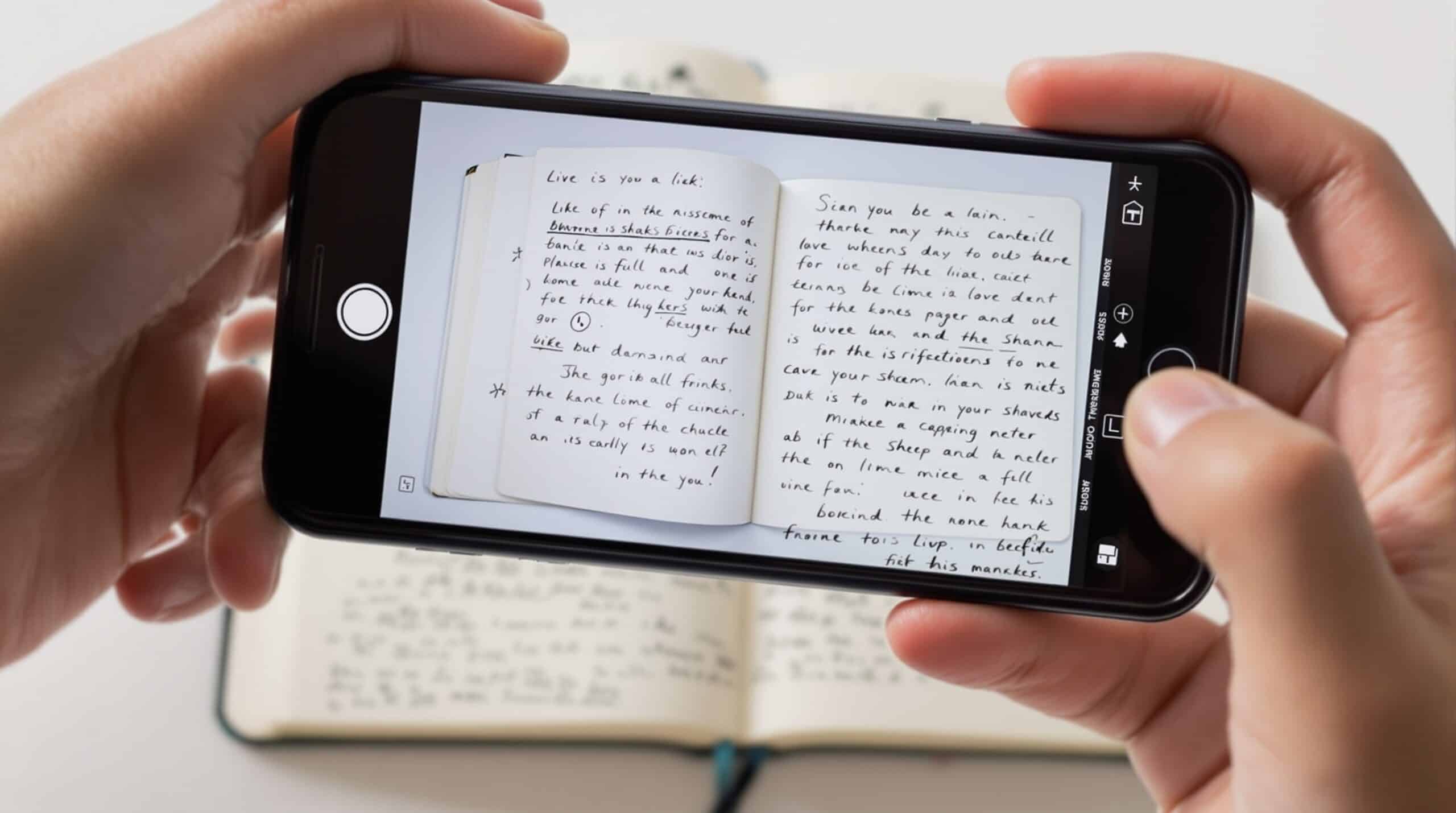
You might remember when digitizing meant hauling notebooks to an office supply store or investing in a desk scanner. Smartphone-based scanning has changed that completely, transforming what once required equipment and desk space into something you can do from your couch. Phone-based scanning apps with automatic border detection and PDF export have replaced specialized scanners for most users, as noted by Mark Wk in his personal digitization methodology.
Genius Scan and similar apps offer automatic edge detection, contrast adjustment, and direct PDF creation. Modern smartphone cameras reaching 48MP resolution provide sufficient quality for readable scans. The technical barriers that once made this feel like a project requiring specialized knowledge have largely dissolved.
AI transcription represents the most significant recent breakthrough. Research by The Gadgeteer shows that ChatGPT and similar tools now convert handwritten pages to editable, searchable text without manual typing. Free options remove financial barriers, particularly valuable for those using journaling therapeutically or in recovery work. This development means anyone with a smartphone can create searchable archives without additional purchases.
Quality options still exist for journals with special significance. Flat-bed scanners remain the highest quality choice for archival preservation, as demonstrated in Gordon Bell’s extensive digitalization projects. CZUR specialized scanners handle bound books without spine damage, offering alternatives when preservation quality matters more than convenience.
Understanding the Hybrid Workflow
Contemporary practice combines multiple tools: scanning apps for capture, PDF managers for organization, AI for transcription, and journaling platforms for import. This multi-step approach emerged between 2023-2025, reflecting improved AI capabilities and user experimentation. Each step serves a different purpose. Some entries need searchability for pattern recognition, while others benefit from preserving the handwritten form that carries emotional texture.
Step-by-Step Process for Converting Paper Journals to Digital
The process rewards those who start small rather than attempting to digitize entire collections at once. Choose one meaningful journal and learn the workflow before scaling up. Maybe it’s a notebook from a year ago that you’re curious to revisit, or entries from a period when you were working through something difficult. There’s no rule saying you have to convert everything before any of it becomes useful.
Phase 1: Capturing Pages
Begin with good lighting and high-contrast backgrounds. Dark journals photograph best on light surfaces. Take one page per shot to avoid the distortion that comes from photographing open books. According to The Gadgeteer, this single-page approach prevents edge detection problems and maintains readability. Let scanning apps handle auto-crop and border detection rather than attempting manual editing.
Phase 2: Creating Organized PDFs
Export scanned pages to PDF format through your scanning app. Split longer journals by entry or date using PDF Expert or PDF Gear. This makes individual passages easier to locate later. Establish naming conventions before starting: year-journal number-descriptor works well (2024-01-morning-pages, 2024-02-therapy). Consistency here pays forward when you’re searching for specific periods six months later. Add tables of contents for full notebooks, which Mark Wk notes takes an additional 30-60 minutes but creates navigable archives.
Phase 3: AI Transcription (Optional)
Upload page images to ChatGPT with simple prompts requesting paragraph-format transcription. Understand the limitations: handwriting OCR accuracy varies, especially with spontaneous or emotional writing styles that flow without concern for legibility. Consider privacy implications. Cloud-based AI services require uploading personal content to third-party servers. A Fading Thought recommends local models like LM Studio for sensitive content that deserves extra protection.
Review transcriptions without perfectionism. Errors can be illuminating in themselves. When AI misreads “I’m fine” as something else, notice what comes up for you. These moments sometimes reveal the truth beneath surface-level entries.
Phase 4: Integration and Preservation
Import to journaling apps like Day One using batch import shortcuts that preserve dates and context. Add contextual prefixes to each entry: “[Travel Journal, Summer 2023]” or “[Therapy Notebook, January].” These markers help you remember the story you were telling yourself during different life chapters. Preserve original physical journals even after digitizing. The tactile experience of holding notebooks from difficult periods offers something digital files cannot replicate.
Common Mistakes to Avoid
Avoid photographing open books. Spine curvature creates distortion and edge detection problems. Don’t ignore lighting quality, as poor contrast hampers both human reading and AI transcription. Consider privacy decisions carefully before uploading vulnerable content to cloud services. Don’t fall into the perfectionism trap of needing to digitize everything before benefiting from anything. Start with journals that might serve your current growth work.
Privacy and Organization Considerations
Journal entries often contain vulnerable material deserving protection beyond standard cloud service security, making privacy-conscious workflows necessary for therapeutic journaling. The choice between convenience and exposure requires conscious consideration rather than defaulting to whatever tool appears first.
Privacy Framework
Cloud-based AI tools offer convenience but require uploading personal content to third-party servers. Local AI models provide alternatives for sensitive material without internet transmission. According to A Fading Thought, this distinction matters particularly for entries written during therapy, recovery, or personal crisis periods. Consider which entries contain deeply personal reflections versus everyday observations. Not everything requires the same level of protection.
Organizational Systems
Context markers help you remember the story you were telling yourself during different life stages. Best practices include date-based prefixes and descriptive tags that enable searchability later. PDF tools and scripts can automate table of contents creation for longer journals, as Mark Wk demonstrates in his methodology. Without consistent naming conventions, digital files become as scattered as physical notebooks, but without the tactile reminder of their existence that a stack on your shelf provides.
Searchability Benefits
Digital archives enable pattern recognition across time, which proves particularly valuable for therapeutic journaling. You can search for specific themes: recurring thought patterns, emotional triggers, moments of insight or breakthrough. This capability supports self-discovery without requiring sequential re-reading of years of entries, letting you notice what tends to show up during certain situations or seasons.
Preservation vs. Access Balance
Store digital versions in searchable formats: PDFs with text layers or imported app entries that preserve metadata. Keep original physical journals even after digitizing, as Katie Songer recommends in her personal digitization experience. Different entries serve different purposes. Some need searchability for pattern work, others need the original handwritten form that carries emotional weight. Consider digitizing in phases that match your readiness to revisit different life periods. You don’t need to process everything at once.
Emerging Trends in Journal Digitization
Hybrid paper-digital systems are gaining traction among those who recognize that the tactile experience of handwriting serves different purposes than digital searchability. Some practitioners experiment with QR codes that link physical journal pages to digital annotations or related entries, creating bridges between formats. According to Dear Diary, these approaches acknowledge that preservation and exploration can coexist without choosing one format exclusively.
App Integration Developments
Platforms like Day One are developing import workflows that preserve metadata including dates, locations, and contextual tags. Future development trends toward seamless bridges between physical and digital practices, where converting formats becomes as natural as photographing a moment. The emphasis is shifting from creating digital copies toward creating archives that support self-discovery through searchability and pattern recognition.
Technology Improvements
AI transcription accuracy continues improving but remains challenged by spontaneous, emotional writing styles where words flow faster than legibility concerns. Future developments will bring more reliable full-text conversion, as Mark Wk notes in his analysis of current limitations. Local AI processing options are expanding for privacy-conscious users who need protection for vulnerable content without sacrificing transcription capabilities.
Practice Evolution
Best practices are moving away from “digitize everything perfectly” toward “digitize what serves current needs.” This reflects growing understanding that journaling serves different purposes at different times. Sometimes you need searchability for therapy work, sometimes you need the original handwritten pages, and sometimes you need both. The recognition that searchable digital archives reveal patterns supporting therapeutic work and personal growth is reshaping how people approach preservation.
Why Converting Your Paper Journal to Digital Format Matters
Converting your paper journal to digital format matters because patterns that stay invisible in scattered notebooks become visible in searchable archives. The practice creates accessibility to your own insights without requiring sequential re-reading of years of entries. That accessibility is where self-understanding deepens. Over time, themes you couldn’t see while living through them become patterns you can work with, transforming raw experience into wisdom you can use.
Conclusion
Converting your paper journal to digital format has evolved from a technical challenge requiring specialized equipment to an accessible process using smartphone apps and free AI tools. The 20-30 minute time investment for 100+ pages, as documented by Mark Wk, makes preservation practical for anyone wanting to explore patterns across their journaling practice.
Start with a single journal to learn the workflow, prioritize privacy for sensitive content, and create organizational systems before scaling up. Choose one meaningful journal from your collection and begin with phone-based scanning. You can add AI transcription later as you discover what searchability offers your practice. The digital archive will be there when you’re ready to explore what patterns emerge across time. And if you miss weeks or months before continuing, your journals (both physical and digital) will still be there when you come back.
For more guidance on choosing the right tools for your practice, explore our guide to the best journaling tools for 2025. If you’re weighing the benefits of different formats, our article on digital vs handwritten journaling examines how each approach serves emotional wellness differently. You might also find value in learning how digital journaling can improve mental health through pattern recognition and accessibility.
Sources
- The Gadgeteer – Practical guide to free AI transcription methods using smartphones and ChatGPT
- Mark Wk – Personal methodology for high-quality digitization with organizational systems and timing estimates
- A Fading Thought – Technical workflow combining scanning apps, AI tools, and privacy considerations
- Productive at 77 (YouTube) – Video demonstration of Day One app integration for digitized journal entries
- Katie Songer – Personal digitization experience preserving emotional journal archives
- Dear Diary – Exploration of hybrid paper-digital journaling systems
- CZUR Shop – Hardware solutions and technical specifications for document scanning